
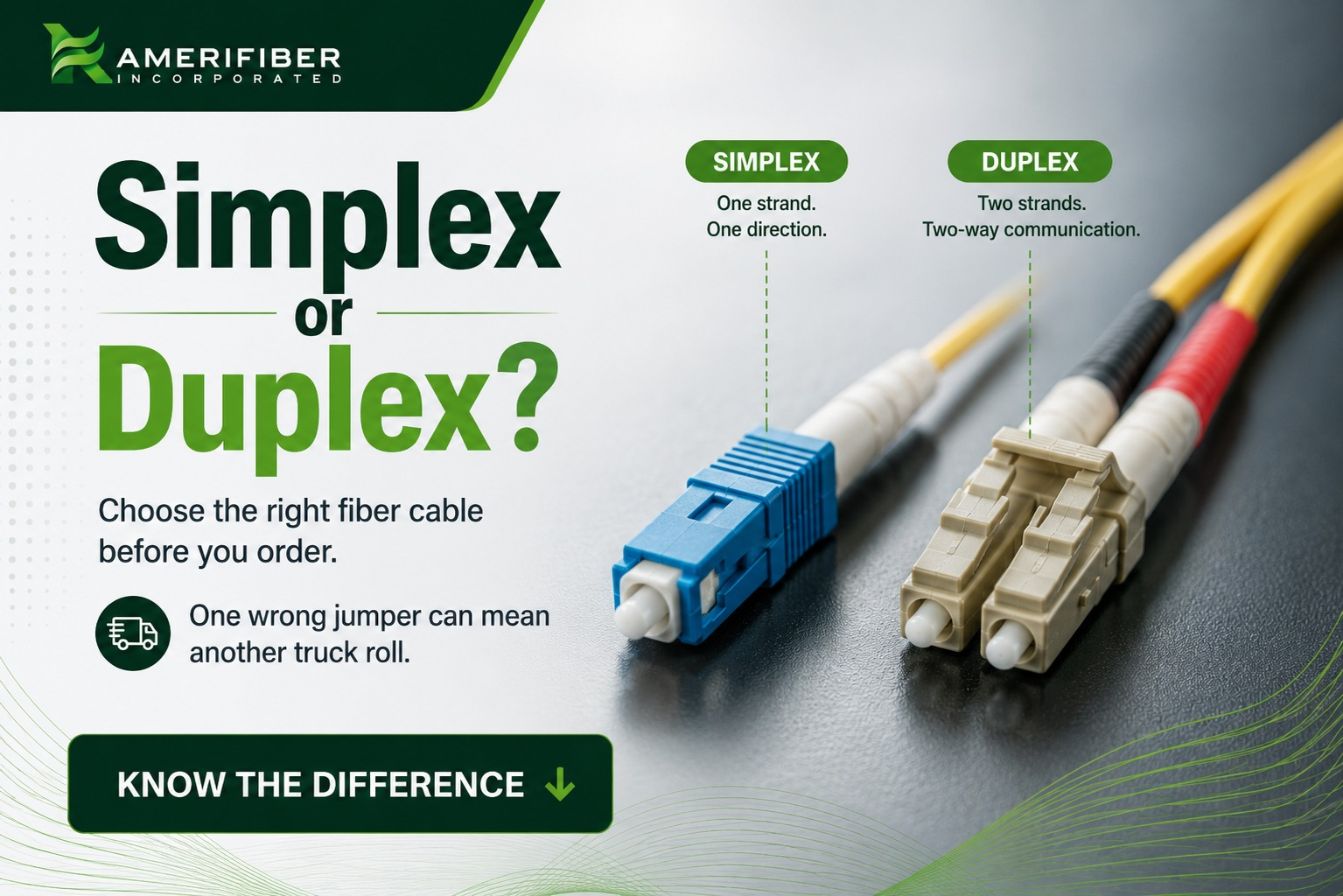
Somebody on your crew is going to order the wrong fiber jumper this month. It happens on almost every job site because simplex vs duplex fiber optic cable confusion doesn’t discriminate between rookies and guys with ten years in. Here’s the short version: simplex runs one strand, one direction. Duplex runs two strands, both directions, at the same time. Sounds simple until you’re staring at a patch panel with the wrong connector in your hand and a client waiting on a live link.
Get this wrong and you’re not just out a few bucks on cable. You’re making a second trip.
Let’s break down what actually separates the two, and where techs mess it up.
What Is Simplex Fiber Optic Cable?
Simplex fiber optic cable is one strand of glass with one connector on each end. That’s it. Data moves in a single direction, from point A to point B, nothing coming back the other way on that same strand.
Think of it like a one-way street. Traffic flows one direction only. If you need something coming back, you either add a second strand or you’re out of luck on that run.
Simplex comes in two core flavors depending on the distance and bandwidth you’re working with. Singlemode simplex fiber optic cable is the go-to for long-haul, one-way runs where signal loss over distance matters. Multimode simplex fiber optic cable is better suited to shorter, cost-sensitive one-way links, like in-building camera feeds or short point-to-point runs. Picking the right one comes down to distance and budget, not just “simplex vs. duplex.”
Where you’ll actually see it:
- One-way video transmission (think security camera feeds running back to a central NVR)
- RF-over-fiber setups
- Some CATV and telecom distribution runs where the signal only needs to go one way
- Cost-sensitive point-to-point links where two-way traffic isn’t part of the job
Simplex is cheaper. Less glass, less jacketing, less connector hardware. If your application genuinely only needs one-way transmission, paying for duplex is throwing money away.
But here’s the catch techs miss constantly: simplex won’t work with equipment that expects full-duplex communication. Plug a simplex run into a switch port built for two-way Ethernet traffic and you’ll get nothing. No link light, no data, no explanation on the equipment side telling you why.
What Is Duplex Fiber Optic Cable?
Duplex fiber optic cable is two strands bonded together, running side by side in a single jacket. One strand handles transmit, the other handles receive. Both directions, at the same time.
This is your two-way street. Traffic moves both ways, simultaneously, without waiting.
Like simplex, duplex splits into two main types based on your run length and equipment. Singlemode duplex fiber optic cable is built for longer backbone and WAN runs where you need both distance and two-way traffic. Multimode duplex fiber optic cable covers shorter runs, think in-building LAN links and data center interconnects, where distance isn’t the constraint but simultaneous two-way traffic is still required.
It’s built this way on purpose. Most networking equipment, from Ethernet switches to enterprise routers, expects full-duplex communication. One strand sends, one strand listens, and the connection stays live in both directions the whole time.
Where you’ll see duplex doing the heavy lifting:
- LAN and WAN backbone runs
- Data center interconnects
- Standard Ethernet links (pretty much anything running on SC or LC duplex connectors)
- Any application where the device on both ends needs to talk and listen at once
The connector setup matters here too. Duplex fiber typically ships with a duplex fiber connector, either LC or SC, built to keep the two strands aligned and in order. Get that order wrong and you’ve got a polarity mismatch, more on that in the next section.
Simplex vs Duplex Fiber: Key Differences
Here’s where it actually matters on the job. Breaking down simplex vs duplex fiber optic cable by the stuff that affects your install, not textbook theory.
Strand count
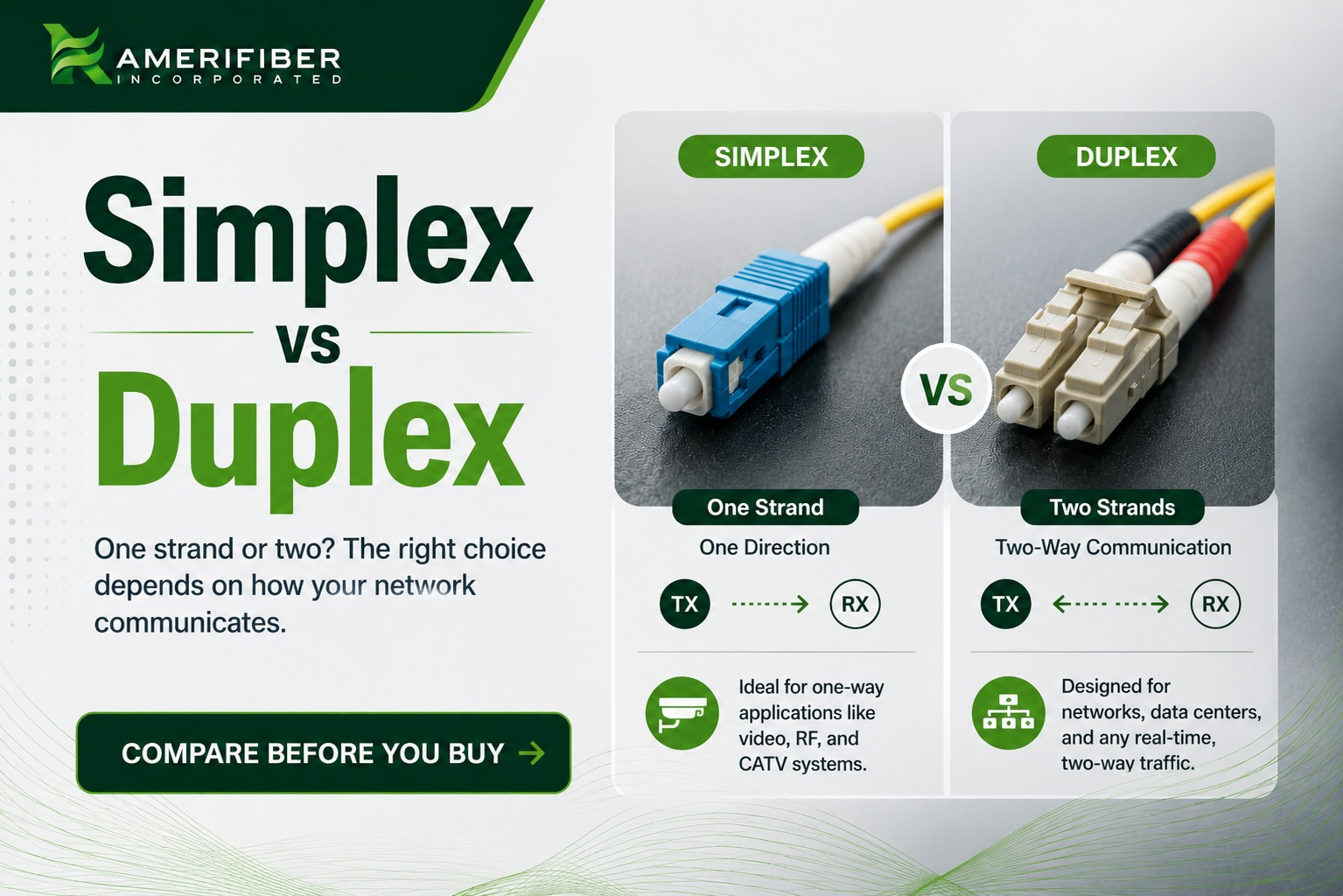
Simplex: one strand. Duplex: two strands, bonded together.
Data flow
Simplex: one direction only. Duplex: both directions, at the same time.
Connector setup
Simplex uses a single connector on each end, no orientation to worry about. Duplex uses paired connectors (LC duplex or SC duplex), and orientation matters. Cross the A and B strands and you’ve got a polarity mismatch. The link won’t come up, and it’ll look like a bad cable when it’s really just backwards. This is the single most common install headache with duplex fiber, and it’s almost always a five-second check that gets skipped.
Cost
Simplex runs cheaper, usually somewhere in the range of a few cents to about 30 to 40 cents less per foot compared to duplex, depending on cable type and fiber mode. On a short patch cable that difference is nothing. On a large distribution build with hundreds of runs, it adds up fast.
Typical use case
Simplex fits one-way transmission jobs. Duplex fits anything that needs two-way, real-time communication, which covers most enterprise and data center work.
Installation complexity
Simplex is close to foolproof. Plug it in, done. Duplex takes more attention, and polarity has to be right on both ends. A tech who skips checking strand orientation on a duplex jumper can burn 45 minutes chasing a link light that should’ve taken 5.
Simplex or Duplex — Which Is Better?
Wrong question. “Better” doesn’t mean anything without context. The right question is which one fits what you’re actually building.
Here’s the decision rule, no hedging:
- Building or upgrading a network that needs real-time, two-way traffic? Duplex. That’s Ethernet, that’s your data center interconnects, that’s basically anything running on a modern switch or router.
- Running a one-way feed, like a security camera back to an NVR, or a one-directional RF-over-fiber link? Simplex. You don’t need two strands for traffic that only moves one way.
- Not sure what the equipment on both ends expects? Check the port specs before you order cable. Full-duplex hardware needs duplex fiber. Simplex won’t cut it, no matter how good the install is.
Before you order, confirm what the hardware on both ends actually needs. It’s a five-minute check that saves a truck roll. If you’re not sure, that’s exactly the kind of question Amerifiber sorts out before cable ships, not after.
Do Duplex Cables Offer Higher Bandwidth Than Simplex?
Short answer: not really, and this trips people up constantly. Bandwidth per strand is the same whether it’s simplex or duplex fiber. The glass doesn’t know or care if it’s bundled with a second strand. What duplex actually gives you is two lanes instead of one, simultaneous send and receive, which means your effective throughput on a live network goes up because you’re not waiting for one direction to finish before the other starts.
So the honest way to put it: duplex doesn’t make the fiber faster, it makes the connection more efficient. If someone tells you duplex fiber is “faster” than simplex, they’re mixing up raw bandwidth capacity of the glass with the practical throughput of a full-duplex connection. Don’t sell duplex as a “faster” cable on a job. Sell it as the right cable for two-way, real-time traffic. That’s the actual value, not a phantom speed boost.
Rookie Mistakes That Cost Time on Site
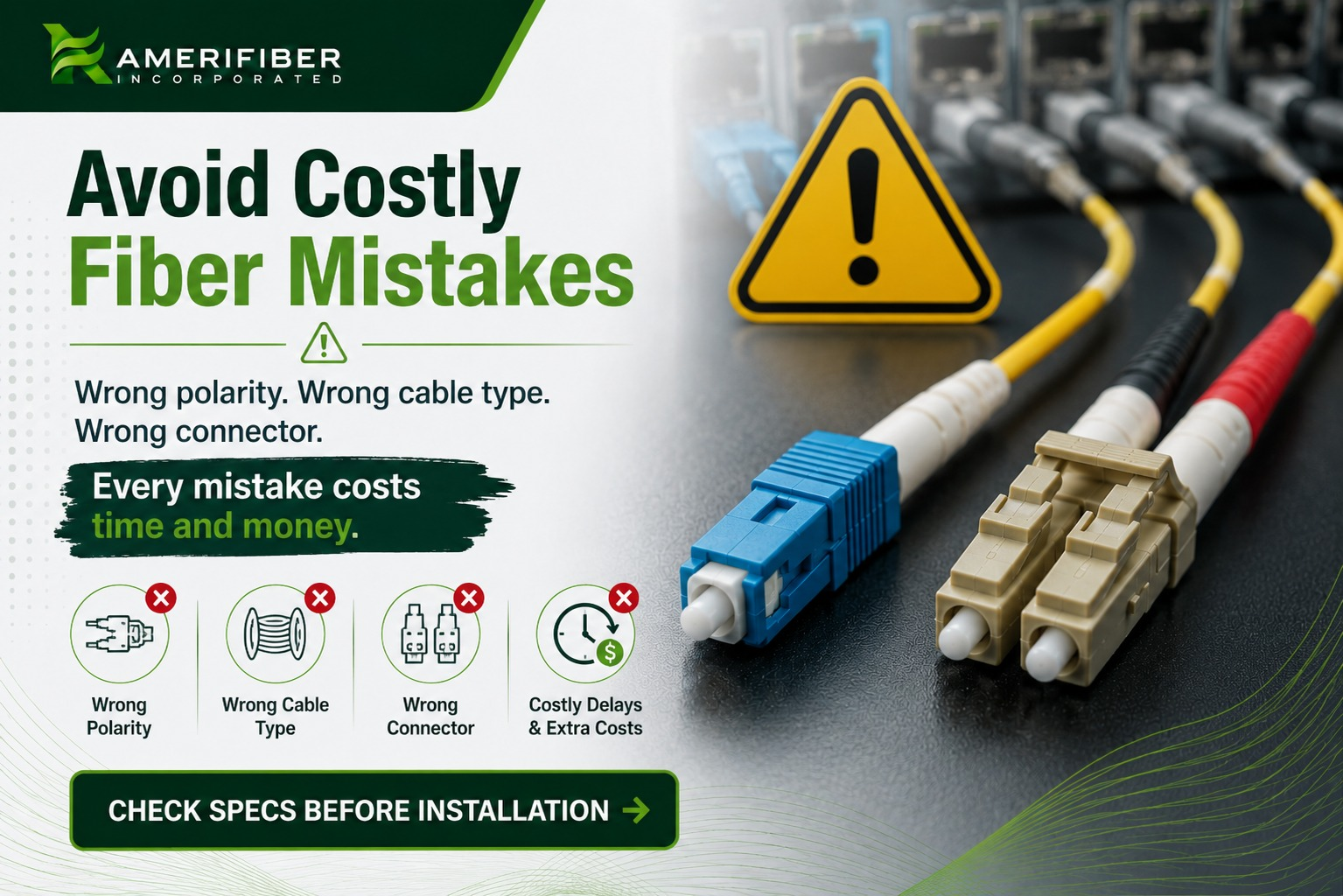
Most fiber problems on site aren’t fiber problems. They’re ordering mistakes that show up as dead links later.
- Polarity mismatch on duplex runs. Cross the A and B strands and the link won’t come up. Nothing’s broken, it’s just backwards.
- Simplex ordered for full-duplex hardware. Switch ports and NICs built for two-way traffic get nothing from a single strand. No error, just a dead link.
- Duplex ordered when simplex would’ve worked. One-way feeds don’t need two strands. Extra cost on every run adds up fast.
- Connector orientation ignored on LC/SC duplex. Force it in wrong and you’ve got the same polarity problem from a different angle.
- Single-mode vs multi-mode not confirmed. Right strand count, wrong fiber mode, still a second trip.
Same fix for all five: confirm the spec before cable goes on the truck.
Bottom Line
Simplex vs duplex fiber optic cable comes down to one question: does your job need one-way or two-way traffic. Simplex is cheaper and simpler, built for single-direction runs. Duplex costs a bit more but handles real-time, two-way communication, which covers most modern networking work.
Neither one is “better.” They’re built for different jobs, and the mistakes on this list all trace back to the same root cause: cable ordered before anyone confirmed what the application and hardware actually needed.
Check the spec first. Confirm polarity on duplex runs. Match the connector type to the job. That’s it. That’s the whole game.
If you’re still not sure which one your build needs, or you want someone to double check the spec before the order goes in, call Amerifiber at 866-518-5858 or reach out through our contact page. Five minutes on the phone beats a truck roll every time.
FAQs
Can simplex fiber be converted to duplex?
No. You can’t turn one strand into two after the fact. If a job that started as one-way now needs two-way traffic, you’re running a second strand or replacing the cable with duplex from the start.
Is duplex fiber more expensive than simplex?
Yes, but not by much. Expect roughly 30 to 40 cents more per foot depending on cable type and fiber mode. On short runs it’s nothing. On a build with hundreds of runs, it adds up.
What connectors work with duplex fiber?
LC duplex and SC duplex are the standard. Both use a duplex fiber connector design that keeps the transmit and receive strands aligned, but orientation still has to be checked on install.
Does duplex fiber need special hardware on both ends?
Yes. Both ends need ports or transceivers built for full-duplex communication. Plug duplex fiber into hardware that only expects one-way traffic and you’re not gaining anything.