
Imagine you have just unboxed a brand-new, high-speed network switch. It’s sleek, efficient, and ready to go. But when you go to plug it in, you realize you have a problem. Your new hardware uses modern, small-form-factor LC ports, but the patch panel you installed five years ago is entirely populated with larger SC connectors.
In the past, this might have meant a frustrating afternoon of re-terminating fibers or ordering expensive, custom patch cords. Thankfully, there is a much simpler solution that keeps your project on track without requiring a complete infrastructure overhaul.
What is a Hybrid Fiber Adapter?
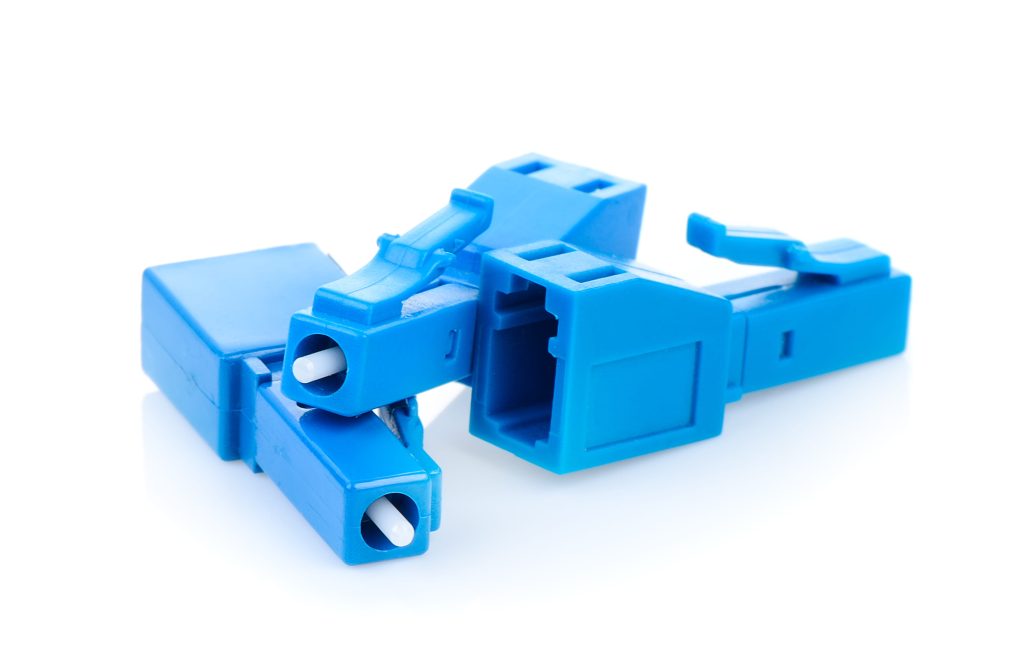
At its core, a hybrid fiber adapter is a specialized “conversion” mating sleeve. While a standard adapter connects two cables of the same type, a hybrid version is designed to join two different connector styles. It features one interface on the front (such as an SC) and another on the back (such as an LC).
Think of it as a universal translator for your fiber network. It allows light to pass from one connector type to another with minimal interruption, effectively bridging the gap between legacy hardware and modern upgrades.
The Amerifiber Advantage
At Amerifiber, we understand that network evolution happens in stages. You shouldn’t have to rip and replace your entire cable plant just because you upgraded a single piece of equipment. We specialize in these critical “gap-bridging” components, providing precision-engineered adapters that ensure your signal stays strong, even when your connectors don’t match.
Since 1986, we have helped engineers and technicians navigate these technical hurdles. By focusing on high-quality internal alignment and durable housing, we ensure that these small adapters provide a seamless, long-term solution for your connectivity needs.
How Hybrid Adapters Work: The Science of Alignment
It might seem like a hybrid adapter is just a plastic shell that holds two cables together, but the real magic happens deep inside the device. For a fiber signal to pass from one connector to another without failing, the two fiber cores must align with extreme precision. We are talking about alignment measured in microns, where even a microscopic shift can cause significant signal loss.
Alignment is Everything
The most critical part of any hybrid adapter is the internal split sleeve. This sleeve is responsible for grabbing the circular ferrules of both connectors and centering them perfectly.
- Zirconia Ceramic Sleeves: Most high-quality hybrid adapters use Zirconia ceramic. This material is incredibly hard and does not deform over time, making it the gold standard for singlemode connections where precision is non-negotiable.
- Metal/Bronze Sleeves: These are typically used in multimode applications. While they are durable and cost-effective, they don’t offer the same hyper-tight tolerances required for the tiny cores of singlemode fiber.
Male vs. Female Adapters
When shopping for hybrid solutions, you will encounter two primary designs:
- Female-to-Female (Bulkhead) Adapters: These look like standard “mating sleeves.” You mount them in a patch panel or wall plate, and then plug a different cable type into each side.
- Male-to-Female (Plug-in) Adapters: These are often called “conversion adapters.” They have a male connector on one end (like an SC) and a female port on the other (like an LC). These are perfect for plugging directly into equipment to instantly change its port type.
The Precision Benchmark
In the world of fiber, “insertion loss” is the metric that matters most. Every time you add a connection point, you lose a tiny bit of light. A poorly made adapter can “leak” light and ruin your power budget.
At Amerifiber, we benchmark our adapters to ensure a low insertion loss, typically under 0.2dB. This ensures that, even as you switch between different connector styles, your network performance remains as high as if you were using a direct, native connection.
Common Hybrid Configurations and Use Cases
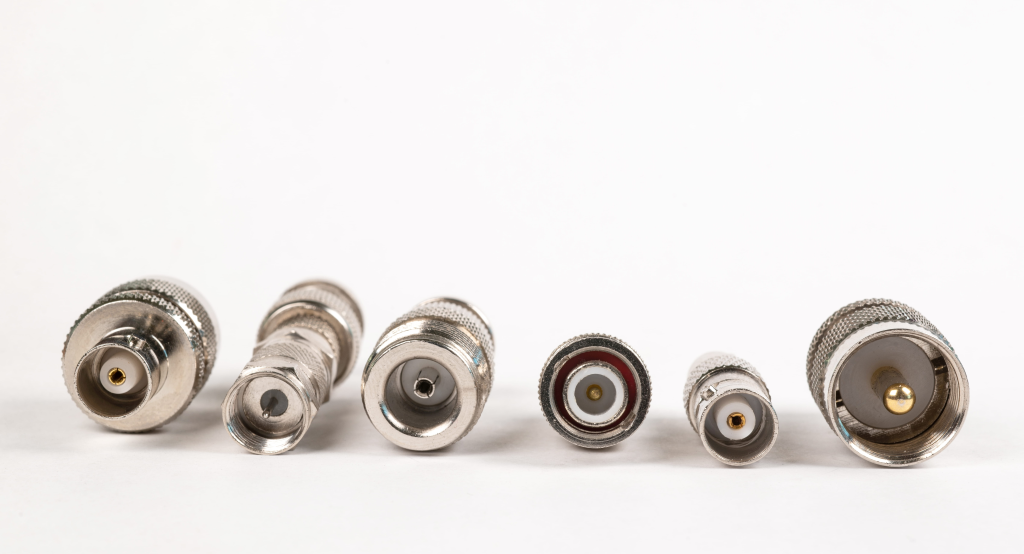
Not all connector mismatches are created equal. Depending on the age of your facility or the specific equipment you are installing, you will likely run into one of these three common scenarios. Understanding which “bridge” you need is the first step toward a successful installation.
LC to SC: The Modernization Standard
This is by far the most frequent configuration we see today. Most modern high-density switches and SFP transceivers use the small-form-factor LC connector. However, many existing buildings are still wired with the larger, older SC “subscriber connectors.”
- The Use Case: Connecting a modern LC patch cord to a legacy SC patch panel.
- The Benefit: It allows you to use newer, high-density hardware without replacing miles of existing SC-terminated cable.
SC to ST: Bridging to Legacy Equipment
The ST connector, with its distinctive “twist-and-lock” bayonet mount, was the industry standard for years. While SC and LC have largely taken over, plenty of industrial equipment and older campus backbones still rely on ST ports.
- The Use Case: Integrating a newer SC-based media converter into a network that uses older ST-terminated distribution frames.
- The Benefit: It provides a secure, stable way to keep legacy systems functional while slowly transitioning to newer connector standards.
FC to LC: From the Lab to the Data Center
FC connectors are known for their threaded, screw-on mechanism, which makes them incredibly stable in high-vibration environments. They are a favorite for precision lab equipment and specialized testing tools.
- The Use Case: Connecting specialized optical test gear (FC) to high-density data center ports (LC) for troubleshooting.
- The Benefit: It allows for highly accurate measurements without the risk of the connector wiggling or losing alignment during a critical test.
Amerifiber Insight
Selecting the right configuration is only half the battle; you also need to ensure the adapter is compatible with your fiber type. Choosing an adapter with the wrong internal sleeve can cause significant signal loss. You can find our fully vetted options here:
- Singlemode Hybrid Adapters: Built with precision Zirconia sleeves for long-distance, high-power links.
- Multimode Hybrid Adapters: Designed for shorter-range enterprise networks and local area connections.
Singlemode vs. Multimode Hybrid Adapters
While a hybrid adapter changes the physical “shape” of the connection, it does not change the type of light traveling through the cable. This is one of the most important distinctions to make when ordering parts. You must match the adapter to the specific mode of fiber you are using to avoid immediate signal failure.
Understanding the Color Code
The fiber industry uses a universal color-coding system to help technicians identify the glass type and polish style at a glance. When selecting a hybrid adapter, look for these colors:
- Blue (Singlemode UPC): The standard choice for most singlemode data networks. It features a “Ultra Physical Contact” polish for low back-reflection.
- Green (Singlemode APC): Used for “Angled Physical Contact” connectors. These are common in GPON, FTTX, and video applications. Note: You cannot plug a blue connector into a green adapter port; the angles will not match.
- Beige (Multimode OM1/OM2): Usually found in older legacy systems using 62.5/125 or 50/125 fiber.
- Aqua (Multimode OM3/OM4): The standard for modern, high-speed 10G and 40G multimode laser-optimized networks.
Tolerance and Material
The reason you see a price difference between singlemode and multimode adapters comes down to the internal “tolerance.”
Singlemode fiber has a core of only about 9 microns—roughly one-tenth the thickness of a human hair. To align two of these cores, the adapter must use a high-quality Zirconia ceramic sleeve that won’t expand or contract with temperature changes. Multimode fiber has a much larger core (50 or 62.5 microns), which is more “forgiving,” allowing for the use of less expensive metal or phosphor bronze sleeves.
The “Can I Mix?” Warning
One of the most common misconceptions is that a hybrid adapter can convert a singlemode signal into a multimode one. It cannot.
A hybrid adapter is purely a mechanical bridge for the connector housing. If you try to use a hybrid adapter to join a singlemode patch cord to a multimode backbone, you will experience extreme signal loss (often 10dB or more). The light will essentially hit a “wall” because the core sizes do not match. Always ensure your patch cables, adapters, and trunk lines are all the same fiber mode.
3 Reasons to Use Hybrid Adapters Over Patch Cables
When you’re faced with a connector mismatch, you usually have two choices: buy a “hybrid” patch cable (one with different connectors on each end) or use a hybrid adapter. While both will get the signal from point A to point B, hybrid adapters often provide a cleaner, more professional solution for long-term network management.
1. Superior Space Savings
In a high-density data center or a crowded telecommunications closet, space is at a premium. Using hybrid patch cables can quickly lead to a “spaghetti” mess of wiring, as you have to stock and manage various cable lengths for every possible connector combination.
By using a hybrid adapter inside your patch panel, you can keep your cable management standardized. You can use standard LC-to-LC or SC-to-SC patch cords throughout the rack, with the adapter handling the conversion right at the bulkhead. This keeps the front of your rack looking clean and makes it much easier to trace cables during maintenance.
2. Significant Cost Efficiency
Infrastructure is expensive. If you have an existing fiber backbone terminated with ST connectors, replacing thousands of feet of cable just to accommodate a newer SC-based switch is rarely a financially viable move.
Hybrid adapters allow you to reuse your existing, perfectly functional infrastructure. Instead of a “rip and replace” strategy, you simply swap out the mating sleeves in your panels. This extends the life of your current cable plant and allows you to allocate your budget toward active equipment rather than passive glass.
3. Ultimate Flexibility for Testing
For field technicians, a hybrid adapter is an indispensable tool that takes up almost no room in a tool bag. Instead of carrying five different types of reference cables to account for every possible port they might encounter, a technician can carry one or two high-quality hybrid adapters.
This flexibility allows them to:
- Connect their standard test equipment to any legacy port.
- Quickly verify signal strength without hunting for a specific cable.
- Adapt to “on-the-fly” changes during a customer installation without having to head back to the warehouse for more supplies.
Selection Checklist: Getting the Right Fit
Before you click “add to cart,” it is important to verify a few technical details. Because hybrid adapters are specialized components, choosing the wrong variant can lead to physical fitment issues or poor network performance. Use this checklist to ensure you get the right solution the first time.
1. Connector A vs. Connector B
Identify the two different connector types you need to join. Common pairings include LC to SC, SC to ST, or FC to LC. Ensure you know which side needs to be “male” or “female” if you are using a plug-in style adapter rather than a standard bulkhead mating sleeve.
2. Fiber Mode (Singlemode vs. Multimode)
As we discussed earlier, the internal sleeve material matters.
- Choose Singlemode (Zirconia ceramic) for long-distance, high-speed links.
- Choose Multimode (Phosphor bronze or metal) for short-range local networks. Remember to match the adapter housing color to your existing fiber (Blue for Singlemode, Aqua for OM3/OM4, etc.).
3. Polish Type (UPC vs. APC)
This is a critical step for singlemode users.
- UPC (Blue): Standard flat-surface polish.
- APC (Green): Angled polish used to reduce back-reflections. A UPC connector will physically fit into an APC adapter, but the signal will be poor because the glass cores won’t make contact. Never mix UPC and APC.
4. Mounting Style (Flanged vs. Flangeless)
How are you installing the adapter?
- Flanged: These feature “wings” with holes for screws. They are the standard choice for most patch panels and wall plates, providing a secure, permanent mount.
- Flangeless: These have a smaller footprint and are designed to snap into high-density panels where space is too tight for screws. If you are working in a crowded 1U rack, flangeless may be your only option.
The Amerifiber Advantage
In a field where a fraction of a millimeter can be the difference between a high-speed link and a dead connection, the quality of your components is non-negotiable. While hybrid adapters are small, they are often the most critical link in your network’s physical layer. Choosing a partner who understands the stakes is just as important as choosing the right part.
Amerifiber has been a leader in the fiber optic industry since 1986. With over 30 years of experience, we have seen the evolution of connector standards from the early days of ST to today’s high-density LC and MPO environments. Our commitment to excellence means every component we offer is precision-tested to ensure it meets or exceeds industry standards for insertion loss and durability.
When you work with us, you aren’t just buying hardware; you are gaining access to decades of technical expertise. We pride ourselves on being more than just a supplier. We are a resource for technicians and engineers who need reliable, high-performance solutions that work the first time, every time.
Don’t let a connector mismatch stall your deployment. Whether you are bridging legacy systems or scaling up for the future, we have the hardware you need to stay connected.
View our full range of Fiber Optic Adapters or contact an Amerifiber expert today for help with a custom hybrid configuration or high-volume project.