
When building or upgrading a fiber network, choosing between rack-mount and wall-mount patch panels can have a big impact on performance, organization, and scalability. Both options help manage and protect your fiber connections. The difference lies in where and how they fit into your setup.
Rack-mount panels are the go-to choice for structured server rooms and data centers, while wall-mount panels shine in smaller spaces like telecom closets or building entry points. Each style has its strengths, and knowing which to choose can save you time, space, and long-term costs.
In this guide, we’ll break down the differences between rack-mount and wall-mount patch panels, explain how to pick the right one for your environment, and highlight a few trusted options from Amerifiber’s U.S.-made product line.
Rack-Mount vs Wall-Mount Patch Panels: Understanding the Difference

Both rack-mount and wall-mount fiber patch panels organize and protect your network connections, but they’re designed for different environments. The main difference comes down to space, capacity, and accessibility.
Rack-mount patch panels fit into standard 19-inch or 23-inch equipment racks, making them the preferred choice for data centers and structured server rooms. They offer high port density, simple cable routing, and easy integration with switches, routers, and other rack-mounted equipment. If your network is centralized or expected to grow, a rack-mount panel provides the structure and scalability you need.
Wall-mount patch panels, on the other hand, are compact enclosures installed directly on a wall. They’re common in telecom closets, smaller offices, or entry points where space is limited. These panels keep connections organized while protecting fibers from dust and strain. Some even feature lockable doors or swing-out access for quick servicing without taking up valuable rack space.
In short:
- Choose rack-mount panels for larger, expandable networks with dedicated racks.
- Choose wall-mount panels for smaller setups that prioritize simplicity and accessibility.
At Amerifiber, you’ll find both configurations: from rugged AFRM4R series rack panels to space-efficient wall-mount fiber enclosures, all built in the USA with high-quality steel and precise connector options for LC, SC, and ST terminations.
How to Choose Between Rack-Mount and Wall-Mount Patch Panels
The right patch panel for your network depends on more than just space; it’s about how your system functions today and how it will grow in the future. Here’s how to decide which option fits your setup best.
1. Evaluate your space and environment
If you have a dedicated server rack or network cabinet, a rack-mount panel is the natural choice. It keeps your cabling streamlined and integrates neatly with existing rack-mounted hardware.
For smaller telecom rooms or building entry points, a wall-mount enclosure saves space while keeping fiber organized and protected.
2. Think about capacity and growth
Rack-mount panels generally support more ports, which makes them perfect for expanding systems. If you expect to scale up, Amerifiber’s AFRM4R Series offers high-density configurations and modular design options to make upgrades simple.
Wall-mount panels are better for smaller, fixed networks where stability and compactness matter more than density.
3. Consider maintenance and access
Rack-mounted units are easy to reach and label when performing frequent changes or upgrades.
Wall-mount units, especially those with hinged or swing-out doors, provide quick front access but may be less convenient for high-traffic maintenance.
4. Check your cabling layout
If your cables already route through a central rack, a rack-mount panel avoids long runs and extra hardware.
If fiber terminates near walls or entry points, a wall-mount model keeps things tidy without pulling new cable runs.
5. Match the environment to the product design
Rack-mounted systems thrive in controlled, data-center environments. Wall-mounted units handle tight spaces or distributed sites where racks aren’t practical. Both types from Amerifiber are built from powder-coated steel and designed for durability in telecom and enterprise applications.
Ultimately, the best panel is the one that complements your workflow. Rack-mount panels offer scalability and density; wall-mount panels offer flexibility and convenience. Amerifiber’s lineup covers both, helping you build a system that performs reliably today and grows with you tomorrow.
Rack-Mount vs Wall-Mount: Quick Comparison
Use the table below to compare the key differences between rack-mount and wall-mount patch panels at a glance.
| Feature | Rack-Mount Patch Panel | Wall-Mount Patch Panel |
|---|---|---|
| Ideal Environment | Data centers, server rooms, large network hubs | Telecom closets, small offices, entry points |
| Port Capacity | High — often 24, 48, or more ports per unit | Moderate — typically 6 to 24 ports |
| Installation | Mounted inside standard 19” or 23” racks | Secured directly to walls or flat surfaces |
| Scalability | Excellent for future expansion | Best for smaller, fixed installations |
| Cable Management | Integrates easily with rack trays and guides | Compact routing within enclosure |
| Accessibility | Easy front access in structured racks | Hinged or swing-out doors for quick service |
| Protection & Durability | Strong rack integration and airflow | Enclosed design shields against dust or debris |
| Amerifiber Example | AFRM4R Series Rack-Mount Panels — modular, high-density design | Wall-Mount Fiber Enclosures — secure, space-saving, and easy to install |
If your setup prioritizes density, centralization, and scalability, rack-mounted panels like Amerifiber’s AFRM4R Series are your best bet.
If you need a compact, standalone solution, Amerifiber’s wall-mount fiber enclosures provide the same quality in a smaller, easy-to-maintain package.
Installation and Maintenance Tips
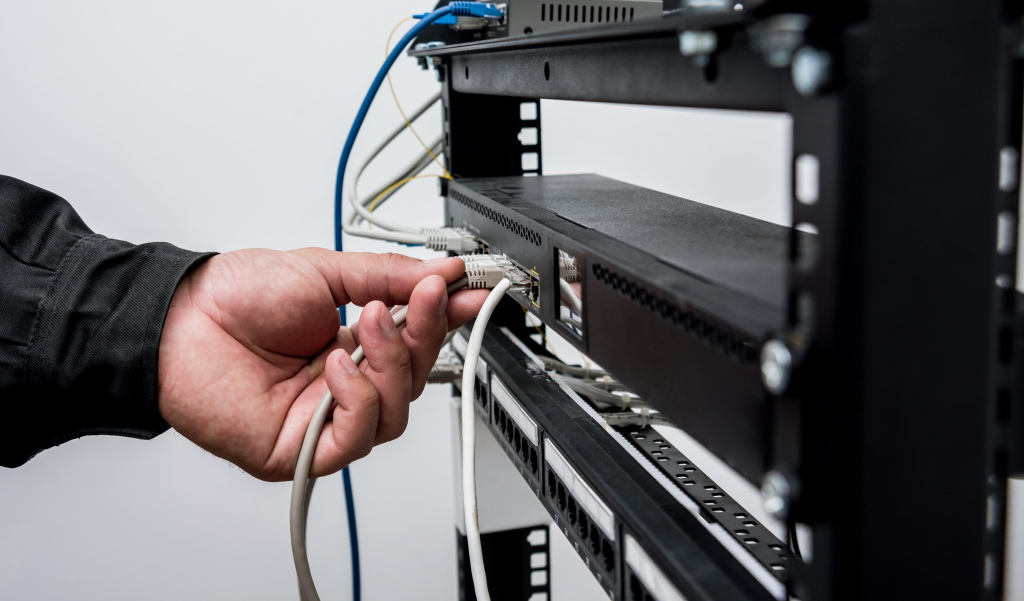
Whether you choose a rack-mount or wall-mount patch panel, a little planning during installation goes a long way toward keeping your network clean, reliable, and easy to maintain.
1. Prepare your layout before mounting
Map out your cabling routes and mounting points before installation. Rack-mount panels should sit close to active hardware like switches or routers, while wall-mount enclosures belong near entry points or vertical risers. Pre-planning helps reduce clutter and signal loss.
2. Protect fiber integrity during routing
Avoid tight bends or over-tensioning cables, as both can cause attenuation. Amerifiber’s enclosures include built-in cable management and strain-relief features to keep fibers safely positioned.
3. Keep labeling consistent
Accurate labeling saves hours of troubleshooting. Label both ends of every cable, and update diagrams whenever you make changes. Amerifiber panels include dedicated labeling areas to help you stay organized.
4. Maintain a clean environment
Even a small dust particle on a connector can disrupt signal performance. Keep dust caps on unused ports and clean all connectors before inserting them into adapters.
5. Schedule regular check-ups
Inspect connections, adapters, and strain-relief components every few months. Make sure doors close securely and that wall-mount hinges or rack slides operate smoothly.
Both Amerifiber rack-mount and wall-mount patch panels are built for easy serviceability, with front access and removable covers that simplify routine maintenance. A few minutes of attention every quarter keeps your network performing at full speed and prevents the small issues that lead to costly downtime.
Frequently Asked Questions
What’s the main difference between rack-mount and wall-mount patch panels?
Rack-mount panels are installed inside server racks and are ideal for larger, centralized networks. Wall-mount panels attach directly to walls and work best in smaller spaces or distributed setups that don’t need a full rack.
Can I use both rack-mount and wall-mount panels in one network?
Yes. Many businesses combine both types. For example, a rack-mounted setup in the main data room and wall-mounted enclosures in branch offices or building entry points. Amerifiber’s product line is compatible across configurations, so integrating both is simple.
Are wall-mount panels secure enough for high-traffic environments?
Absolutely. Amerifiber’s wall-mount enclosures include lockable doors and powder-coated steel housings that protect fiber connections from dust, strain, and unauthorized access.
Do rack-mount panels offer better performance?
Performance depends more on the quality of components than on the mounting style. Both Amerifiber rack and wall units use high-quality adapter plates and fiber routing systems, ensuring the same optical performance.
Can I upgrade from wall-mount to rack-mount later?
Yes — especially if your network expands. Since Amerifiber uses standard connectors and modular designs, upgrading to a larger rack-mounted panel is straightforward without having to re-terminate all cables.
What connectors do Amerifiber panels support?
Most Amerifiber panels can be configured for LC, SC, or ST connectors, making them compatible with a wide range of fiber systems.
How do I know which one is right for me?
If you have a dedicated server rack or plan to expand your network, go with a rack-mount panel. If your space is limited or you’re managing a smaller setup, choose a wall-mount panel. Both offer Amerifiber’s trademark build quality and modular flexibility.
Find the Perfect Patch Panel for Your Network
Whether your setup runs on racks or walls, choosing the right patch panel keeps your network organized, efficient, and easy to maintain. Amerifiber’s lineup includes both rack-mount and wall-mount patch panels, each built from durable, powder-coated steel and designed to handle the demands of modern fiber systems.
If you’re upgrading your data center, expanding a telecom room, or planning a new installation, Amerifiber has the perfect fit: from high-density AFRM4R rack panels to space-saving wall enclosures. Each product is engineered and assembled in the USA, with expert support available to help you choose the configuration that fits your workflow and budget.
Contact Amerifiber today to explore our full range of fiber patch panels and network solutions.
Great connectivity starts with the right foundation, and Amerifiber helps you build it right.